
The Complete Guide to WCAG Compliance in 2026
June 19, 2026
By Shrushti Mahajan
As digital accessibility moves from a “nice-to-have” to a business requirement, organizations across India are increasingly prioritizing WCAG compliance. Whether you’re a government agency, enterprise, SaaS provider, fintech company, or educational institution, accessibility is becoming essential for compliance, customer experience, and digital growth.
In 2026, achieving WCAG compliance is not just about meeting standards—it’s about creating digital experiences that everyone can use.
What Is WCAG?
The Web Content Accessibility Guidelines (WCAG) are the internationally recognized standards for digital accessibility, developed by the World Wide Web Consortium (W3C).
WCAG provides guidance on making websites, applications, and digital content accessible to people with disabilities, including those with visual, hearing, motor, cognitive, and neurological impairments.
Today, WCAG serves as the foundation for most accessibility regulations and procurement requirements worldwide.
Why WCAG Compliance Matters in India
India’s digital economy is growing rapidly, and organizations are expected to provide inclusive digital experiences to all users.
In India, all companies are mandated to follow BIS IS 17802 which is congruent to WCAG 2.1 AA. Further, accessibility obligations are supported by the Rights of Persons with Disabilities (RPwD) Act, 2016. Government entities also follow the Guidelines for Indian Government Websites (GIGW 3.0), which align closely with international accessibility standards.
For Indian companies serving global markets, compliance becomes even more important. Many organizations must meet accessibility requirements under regulations such as:
- European Accessibility Act (EAA)
- Americans with Disabilities Act (ADA)
- Section 508
- EN 301 549
As a result, WCAG has become the global benchmark for digital accessibility.
Understanding the Four WCAG Principles
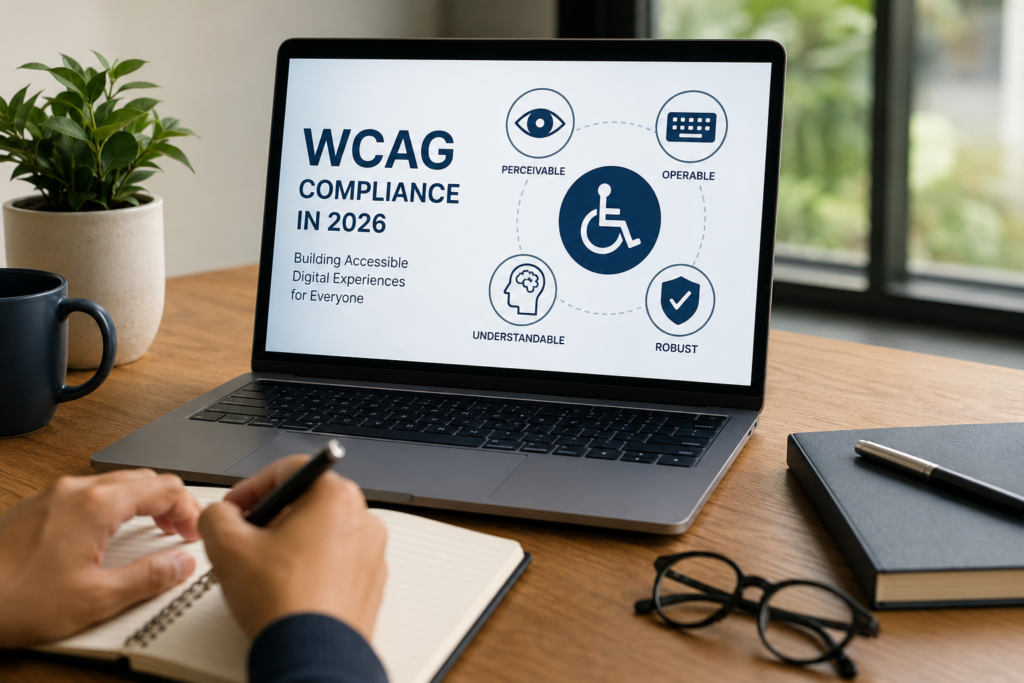
WCAG is built around four core principles, commonly known as POUR:
Perceivable
Users must be able to perceive information on a website. Examples include alternative text for images, captions for videos, and sufficient color contrast.
Operable
Users must be able to navigate and interact with content. This includes keyboard accessibility, visible focus indicators, and accessible navigation.
Understandable
Content should be easy to understand and use. Clear instructions, consistent layouts, and meaningful error messages all contribute to accessibility.
Robust
Digital content should work reliably across browsers, devices, and assistive technologies such as screen readers.
Together, these principles form the foundation of every WCAG requirement.
Which WCAG Version Should Organizations Follow in 2026?
The recommended standard for most organizations today is WCAG 2.2 Level AA.
WCAG 2.2 introduces additional requirements that improve accessibility for people with cognitive disabilities, low vision, and mobility impairments. It is increasingly referenced by accessibility consultants, procurement teams, and global regulatory frameworks.
For most businesses, Level AA provides the right balance between compliance and practicality.
Common WCAG Compliance Issues
Accessibility audits frequently uncover recurring issues that create barriers for users.
Some of the most common include:
- Missing image alternative text
- Poor color contrast
- Inaccessible forms
- Keyboard navigation failures
- Incorrect heading structures
- Missing video captions
- Unclear link text
- Focus management issues
- Inaccessible PDFs
- Dynamic content that is not announced to assistive technologies
Addressing these issues can significantly improve both accessibility and usability.
How to Achieve WCAG Compliance
The most effective accessibility programs follow a structured approach:
Conduct an Accessibility Audit
A professional accessibility audit helps identify compliance gaps across websites, applications, and digital assets.
Combine Automated and Manual Testing
Automated tools are useful for detecting technical issues, but manual testing is essential for evaluating real user experiences.
Test with Assistive Technologies
Accessibility should be validated using screen readers, keyboard-only navigation, magnification tools, and other assistive technologies.
Remediate and Monitor
Accessibility is not a one-time project. Organizations should establish ongoing testing and governance processes to maintain compliance as digital content evolves.
How WCAG Compliance Supports SEO and GEO
Accessibility and search visibility are closely connected.
Many WCAG best practices improve:
- Website structure
- Content hierarchy
- Mobile usability
- User experience
- Crawlability
These factors contribute directly to stronger SEO performance.
Accessibility also supports Generative Engine Optimization (GEO). AI-powered search platforms such as ChatGPT, Gemini, Copilot, and Perplexity prefer content that is clearly structured and easy to interpret. Accessible websites often provide stronger semantic signals, making them easier for AI systems to understand and reference.
Final Thoughts
WCAG compliance in 2026 is about more than meeting accessibility requirements—it’s about creating inclusive, high-performing digital experiences.
For Indian organizations, adopting WCAG 2.2 Level AA can help improve accessibility, strengthen SEO and GEO performance, support compliance initiatives, and enhance user experience for all visitors.
As accessibility expectations continue to evolve, organizations that invest in accessibility today will be better positioned for tomorrow’s digital landscape.
One Response