
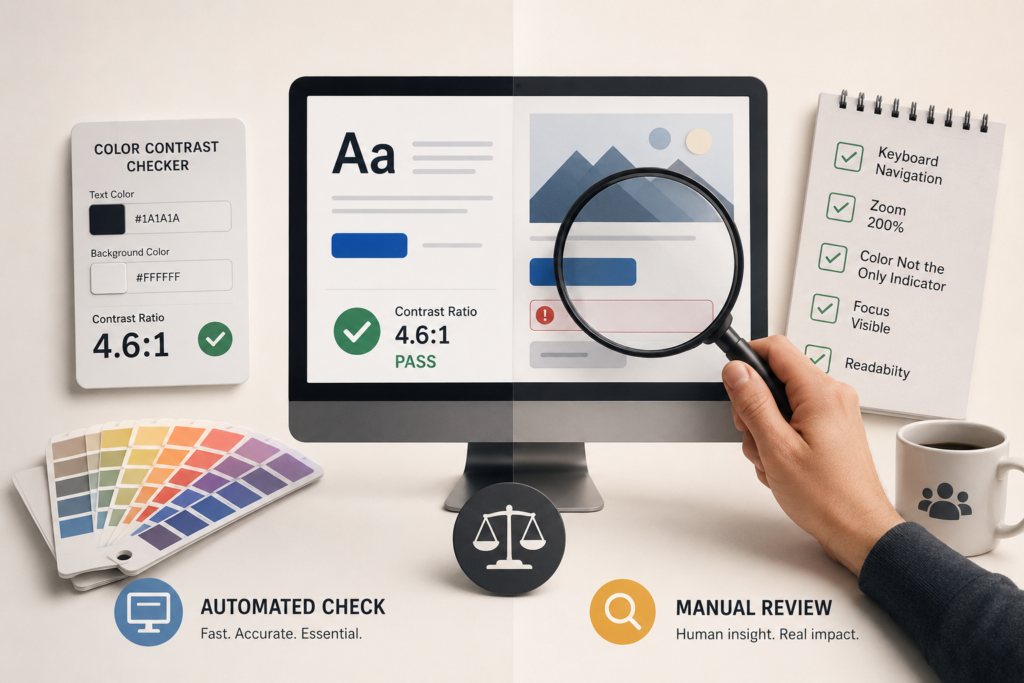
Color Contrast Checker vs Manual Review: Why You Need Both for Better Accessibility
July 10, 2026
By Gokul Gopi Introduction When people start improving website accessibility, one of the first tools they use is a color contrast checker. These tools are quick, free, and easy to use. They tell you whether your text and background colors meet accessibility standards. But here’s the thing. Passing a color contrast checker doesn’t always […]
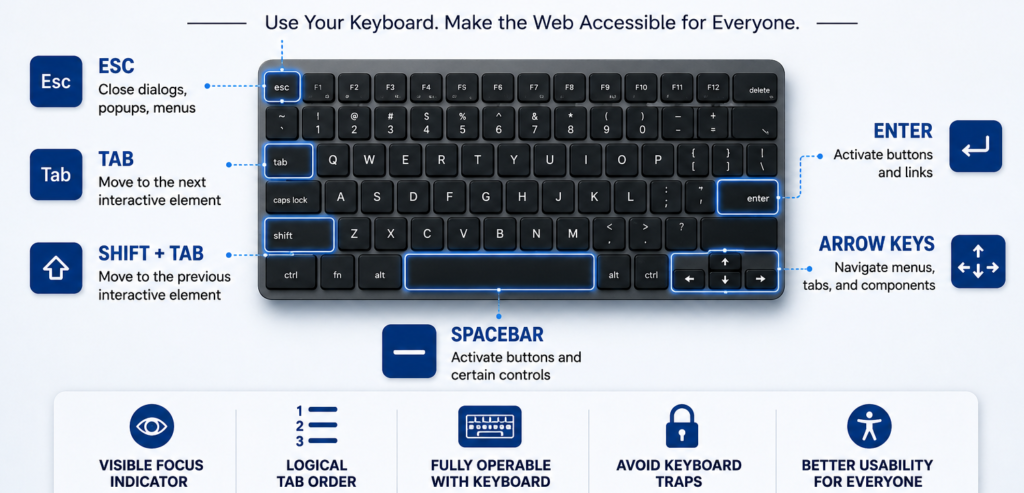
Keyboard Navigation Testing Without Assistive Tools: A Step-by-Step Guide
June 26, 2026
By Shubham Kalra When testing web accessibility, many people immediately think of assistive technologies such as NVDA, JAWS, or VoiceOver. While testing with screen readers is important, there is another accessibility check that every tester can perform without any special tools: keyboard navigation testing. Keyboard navigation testing focuses on whether users can access and operate […]
Website Accessibility Audit Guide: Why Your Website Needs an Accessibility Audit
June 15, 2026
By Shrushti Mahajan Imagine visiting a website to make a purchase, book an appointment, or access important information—only to find that you cannot navigate the page, read the content, or complete a form. For millions of people with disabilities, this remains a daily challenge. As digital experiences become increasingly essential, organizations are expected to ensure […]