
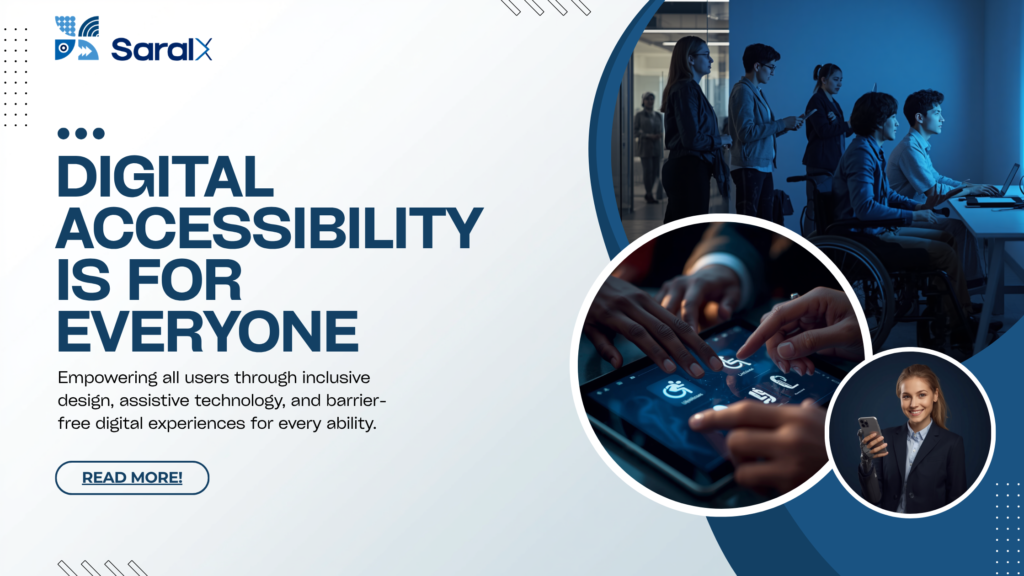
Myth #1: Digital Accessibility Is Only About Making Websites Accessible for People Who Are Blind
July 30, 2026
By Akashdeep, Founder & CEO of SaralX
One of the most common misconceptions about digital accessibility is that it is meant only for people with blindness or low vision.
This belief is understandable because screen readers and visually impaired users are often the most visible examples in accessibility discussions. However, this is only a small part of the bigger picture.
Digital accessibility is about ensuring that every person, regardless of their disability, can independently perceive, understand, navigate, and interact with digital products.
If your accessibility strategy only considers screen readers, you are leaving behind millions of users with other disabilities.
Accessibility Is Designed for Multiple Disabilities
Just as buildings are designed with ramps, elevators, tactile paths, accessible parking, accessible washrooms, and audio announcements to cater to different needs, digital products also need multiple accessibility features.
Different disabilities require different forms of accessibility.
1. People with Visual Disabilities
This is the category most people think about.
Examples include:
- Blindness
- Low vision
- Color blindness
They may use:
- Screen readers
- Screen magnifiers
- High contrast modes
- Larger text settings
- Refreshable braille displays
Developers need to ensure:
- Proper semantic HTML
- Alternative text for images
- Keyboard accessibility
- Sufficient color contrast
- Logical heading structures
2. People with Hearing Disabilities
Many assume that hearing disabilities don’t affect website usage because websites are visual.
In reality, modern digital platforms rely heavily on video and audio content.
These users require:
- Closed captions
- Subtitles
- Transcripts
- Sign language interpretation where appropriate
- Visual alternatives for audio notifications
Without captions, an educational video, product demonstration, webinar, or training session becomes inaccessible.
3. People with Motor Disabilities
Not everyone can use a mouse or touchscreen accurately.
Some users may have:
- Parkinson’s disease
- Cerebral palsy
- Spinal cord injuries
- Temporary hand injuries
- Limited dexterity
They may navigate using:
- Keyboard only
- Voice control
- Switch devices
- Eye tracking systems
- Head pointers
For these users, developers must ensure:
- Complete keyboard operability
- Visible keyboard focus
- Large clickable targets
- No interactions that require precise mouse movements
- No mandatory drag-and-drop interactions without alternatives
4. People with Cognitive and Learning Disabilities
Accessibility also supports people with:
- Dyslexia
- ADHD
- Autism
- Memory impairments
- Learning disabilities
Good accessibility practices include:
- Simple language
- Consistent navigation
- Clear error messages
- Predictable interfaces
- Sufficient time to complete tasks
- Minimal unnecessary distractions
Often, these improvements make products easier for everyone to use.
5. People with Speech Disabilities
Some applications require voice input or customer support through speech.
Users with speech disabilities should always have alternative ways to communicate, such as:
- Typing
- Chat support
- Text-based authentication
- Alternative verification methods
Accessibility means never forcing a user to communicate in only one way.
Disability Is Not Always Permanent
Another misconception is that accessibility only benefits people with permanent disabilities.
In reality, accessibility also helps people experiencing temporary or situational limitations.
For example:
- Someone with a fractured arm may temporarily rely on keyboard shortcuts or voice input.
- A commuter in a noisy railway station benefits from captions because they cannot hear a video.
- A parent holding a baby with one hand may navigate using only the keyboard.
- An older adult with age-related vision loss benefits from larger text and better contrast.
- Someone using a phone in bright sunlight benefits from high contrast content.
Accessibility improves usability across countless real-world situations.
Accessibility Is About Removing Digital Barriers
Imagine constructing a public building.
Would you only install a wheelchair ramp and ignore elevators, tactile indicators, accessible washrooms, emergency alarms, and accessible parking?
Of course not.
Different people face different challenges.
The same principle applies to digital products.
A screen reader helps a blind user.
Captions help a deaf user.
Keyboard navigation helps someone with limited hand movement.
Clear language helps someone with cognitive disabilities.
Each accessibility feature removes a different barrier.
Together, they create an inclusive digital experience.
Accessibility Benefits Everyone
Many accessibility features eventually become mainstream conveniences.
Examples include:
- Captions in noisy environments
- Voice assistants while driving
- Dark mode for comfortable reading
- Larger text for aging users
- Keyboard shortcuts for power users
- Predictable interfaces that improve productivity
Accessibility rarely benefits only one group.
It improves the overall user experience.
What Should Organizations Do?
Instead of asking:
“Can a blind user use our website?”
Organizations should ask:
“Can every user, regardless of their ability, successfully complete their task independently?”
That shift in thinking changes everything.
It encourages organizations to design for inclusion from the beginning instead of retrofitting accessibility later.
Final Thoughts
Digital accessibility is not synonymous with screen readers.
It is not limited to blindness.
It is not about one disability.
It is about ensuring that every individual—whether they have a visual, hearing, motor, cognitive, or speech disability—can access digital services with dignity and independence.
Inclusive products are not built by solving one problem.
They are built by understanding the diverse ways people interact with technology.
When organizations embrace this broader perspective, accessibility transforms from a compliance requirement into a commitment to creating digital experiences that truly serve everyone.